Get Token
Every Woofed CRM API call needs a JWT Bearer Token. The token is generated from the user details page and represents a specific user — every action you perform with that token is logged and authorised as if that user had performed it inside the UI.
How to get the token
Open the user details page in Woofed CRM and copy the token as shown below:
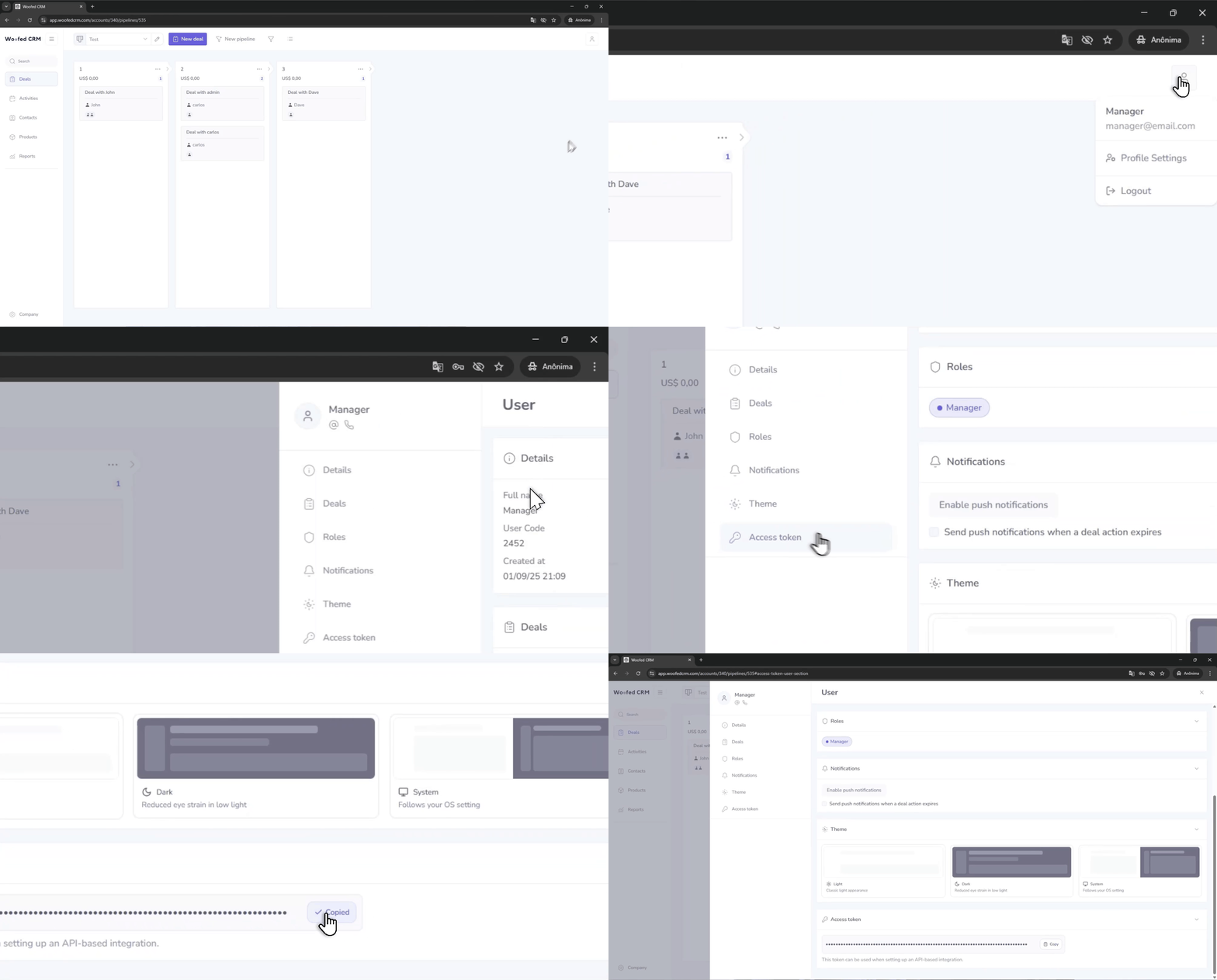
Copy that value and use it as Bearer <token> in every request — see Authentication for examples.
After you have the token
- Quick first call: Getting started → Your first request
- Where to put the header: Authentication → Sending the token
- Keeping it safe: Authentication → Security best practices
Keep your token safe
The token grants full API access on behalf of your user. Don't share it and don't commit it to public repositories.